Key Takeaways
- AI turns hours of documentation into a 5-minute task.
- Raw AI outputs are too generic to be useful. A structured prompt makes all the difference.
- The method is simple: record the task, grab the transcript, feed it into AI, review, and link it where work happens.
- A great SOP is useless if nobody can find it. Put it one click away from where the task gets done.
- Assign a Systems Champion to create and maintain your processes.
- The payoff is real freedom. One business owner went from working 100+ hours a week to taking a 3-week holiday.
To write SOPs with AI, record yourself completing the task while narrating out loud, grab the transcript, feed it into an AI tool like ChatGPT or Claude with a structured prompt, then review and refine the output. The whole process takes less than five minutes.
For years, creating standard operating procedures meant sitting down and typing out every detail from memory. It was slow, exhausting, and most business owners never got around to it. Then AI arrived, and while many hoped it would solve the problem instantly, raw AI outputs tend to be vague and generic.
After extensive testing, SYSTEMology founder David Jenyns developed a simple method that produces SOPs your team will actually follow. Here’s exactly how it works.
What Is an SOP & Why Do Most Business Owners Skip It?
SOP stands for standard operating procedure. It’s simply a set of instructions for how to do something in your business. How do you respond to a customer inquiry? How do you onboard a new client? How do you process a refund? If someone on your team does a task more than once, it needs an SOP.

Most business owners understand this. Few actually do it. The old method required hours of focused writing, meticulous thinking through every detail, and meticulous formatting. That friction stopped even the most motivated operators in their tracks.
Without documented processes, everything lives in the business owner’s head. Team members make excuses. Standards slip. And the owner stays trapped in day-to-day operations instead of working on growth.
The 5-Step Method for Writing SOPs with AI
This method removes the friction entirely. Anyone can follow it, and it produces professional documentation in minutes.
Step 1: Record the Process
Use a screen recording tool for computer-based tasks or your phone for physical processes. Hit record, do the task, and narrate out loud as you go. Talk through each step as if you’re teaching someone new. The first few recordings might feel awkward, but it gets easier quickly.
Step 2: Get the Transcript
Most recording tools generate transcripts automatically. If yours doesn’t, plenty of free transcription services exist online. Copy the transcript as-is. No typing, no formatting needed at this stage.
Step 3: Feed It Into AI
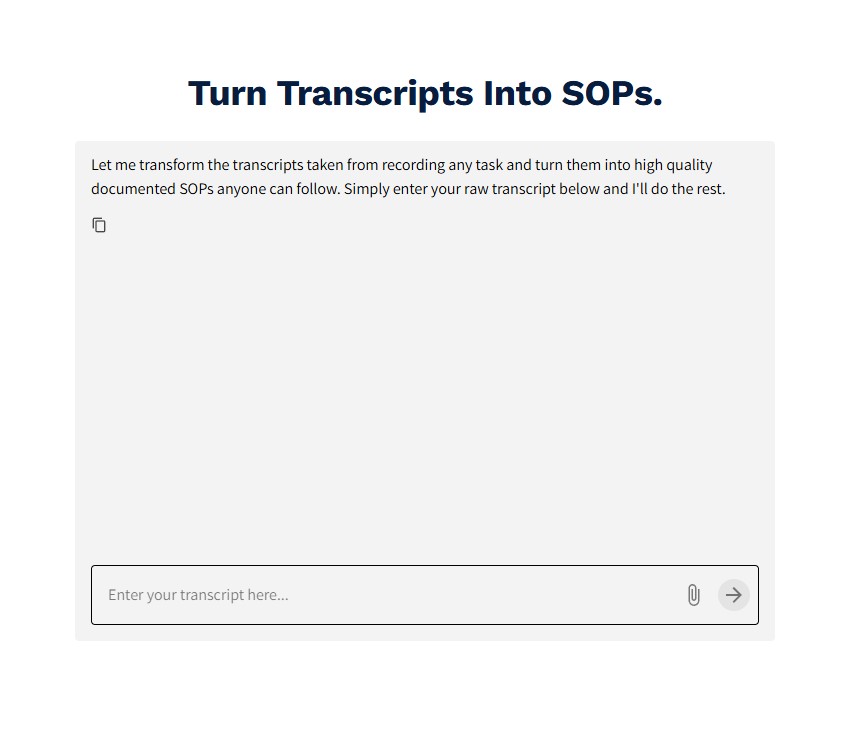
Paste the transcript into your preferred AI tool, whether that’s ChatGPT, Claude, Gemini, or another option. Use a structured prompt (included below) to guide the output. The AI will transform your rambling narration into a clean, organized procedure.
Step 4: Review and Refine
Look through the output and fix any obvious mistakes. Add links to other systems or tools you mentioned. Include screenshots if they would help. The goal isn’t perfection. The goal is something practical that helps someone who hasn’t done this task before.
Step 5: Link It Everywhere
This is where most people go wrong. A great SOP is useless if nobody can find it when they need it. Add it to your project management software. Include it in calendar invites for recurring tasks. Print QR codes and post them in physical workspaces. The process should never be more than one click away from where the work happens.
The Prompt That Makes It Work
Copy this prompt into your AI tool along with your transcript:
You are the Process Documentation Assistant. Your job is to turn meeting transcripts or informal discussions into clear, actionable SOPs for small businesses. Write in plain, supportive language for non-technical managers and team members. Break the process into simple, logical steps. Rewrite everything in clear, accessible English. Make educated guesses when something is unclear, and add a “To Clarify” note. Use clean, reader-friendly formatting with headings and short lists. Avoid jargon and keep lists to 5 items, using sub-lists when needed. Create a complete SOP with: Title, Overview, Trigger (what starts the process), numbered Steps with sub-steps, Supporting Notes, and Completion Criteria.
For an even more refined output, try Process Pal at systemHUB. It’s trained specifically on what makes a great SOP and fills in gaps automatically.
Real Results: From 100-Hour Weeks to a 3-Week Holiday
Gary McMahon runs Ecosystem Solutions, a bushfire management company in Western Australia. He had more work than he could handle, but everything lived inside his head. He worked 100 to 110 hours a week for five years straight with no vacations. His health and marriage started to suffer.
After documenting his SOPs and training his team, Gary took his first real holiday: three weeks off with his family. He later said it probably saved his marriage.
The key was assigning someone on his team as the Systems Champion, a person who owns the

process of creating and maintaining processes. Without that ownership, documentation sits on the business owner’s plate and never gets done.
Start With One Process Today
With AI, the old excuses no longer apply. What used to take hours now takes minutes. The only question left is which process you’ll document first.
Pick one task you do repeatedly and try this method this week. Once you see how fast it is, you’ll wonder why you waited so long.
Watch the full video walkthrough for a step-by-step demonstration of this method in action.