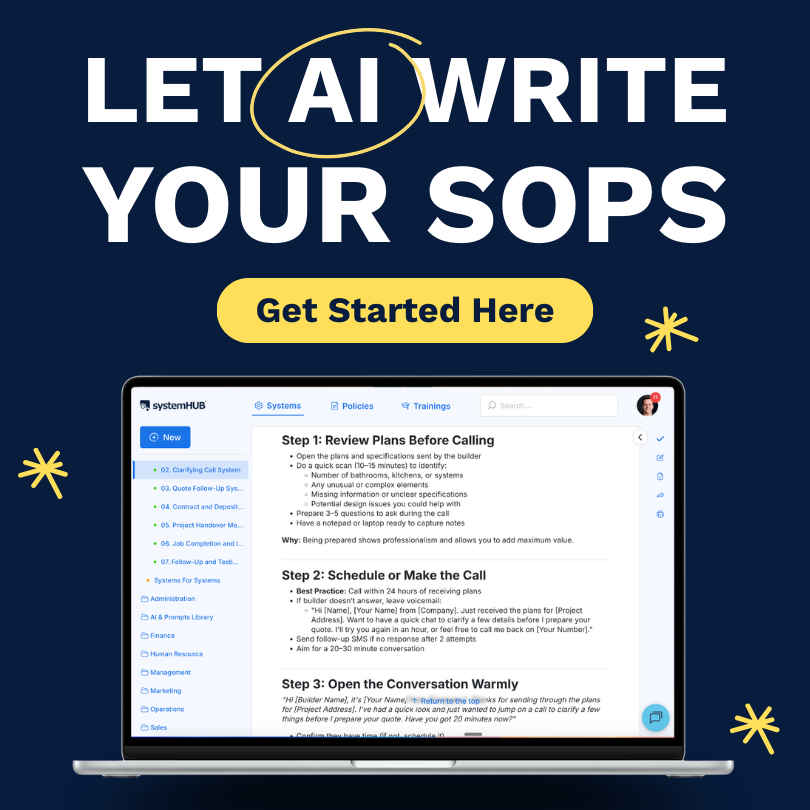
Watch the full walkthrough of writing SOPs with AI in minutes, not hours.
In one line: Record the person who does the task, feed the transcript to an AI with a structured prompt, review the draft with the person who did it, publish. What used to take hours now takes minutes.
There is a reason most business owners never finish their SOPs. The traditional approach is grinding: watch, write, format, review, revise, format again. For a business with even 40 critical systems, that is a full-time job nobody has time for.
AI has closed the gap. What took a Systems Champion half a day in 2022 now takes 15 minutes of focused work. Not because AI writes perfect SOPs, but because it does the heaviest manual part, converting a messy recording into a structured first draft, in under a minute. Your job shifts from transcription to curation. That is the unlock.
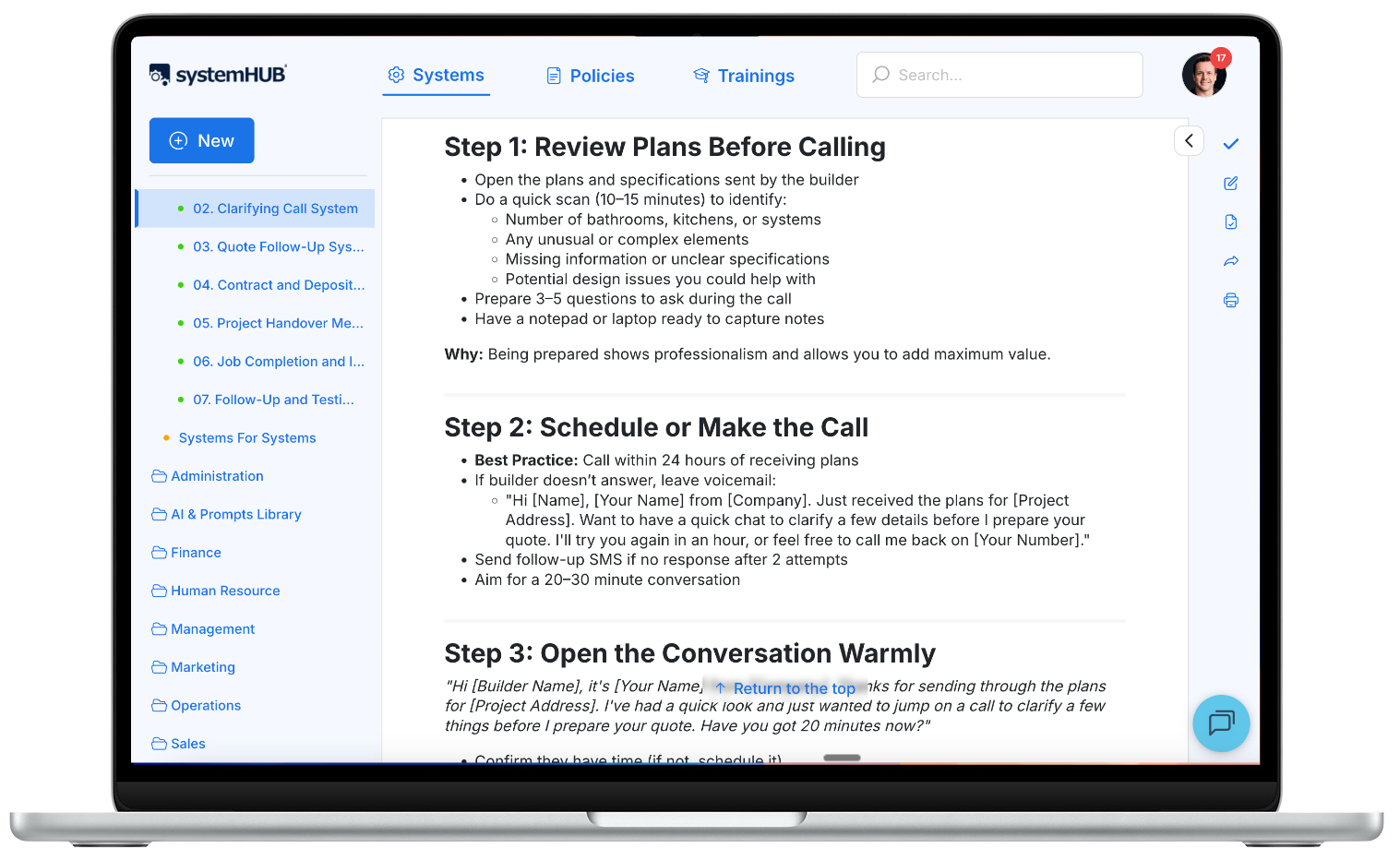
What is an SOP and why do most business owners skip it?
A Standard Operating Procedure (SOP) is a documented, step-by-step guide for how a task gets done in your business. Done right, it turns tribal knowledge into a repeatable outcome. A new hire can read it, follow it, and produce the same result your most experienced person does.
Owners skip SOPs for three honest reasons:
- It feels unproductive. Every hour spent writing an SOP is an hour not serving a client.
- It feels impossible to finish. 40 systems times two hours each is 80 hours. Nobody blocks out 80 hours to document their own business.
- It is boring. The strategic-visionary founder and the patient-technical documenter are not usually the same person.
AI solves the second and third problems directly. It does not solve the first. The owner still needs to decide it is worth doing. The decision becomes easier once the time cost drops from 80 hours to 10.
The System for Creating Systems 2.0: 8 Steps with AI
This framework comes from Systems Champion, the updated version of the SOP-writing method first introduced in SYSTEMology. The eight steps are the same whether you use AI or not. AI collapses the time spent on steps 4 and 5.
Identify the result
Pick one system from your MVS list. Start simple. “Post on LinkedIn”, “Process a customer refund”, “Run the weekly finance update”. Name it in plain English, action-verb first. The name should tell someone exactly what this SOP produces.
Identify who actually produces the result
Find the person on your team who does this task well today. That is your knowledgeable worker. In a small business, this is often you. In a growing team, it is the person who has quietly become the department’s expert through repetition.
Choose your capture method
For desk tasks, screen recording with voiceover (Loom, Zoom, or Tella). For physical tasks, phone video. For abstract tasks (like decision-making), a recorded conversation where the person narrates what they would do in representative scenarios. The method that creates the least friction for the person doing the job is the right one.
Record the task
Have them walk through the process as they would actually do it, out loud, with you asking clarifying questions. Ask “why” at every decision point. Do not polish. You are capturing the real method, not the sanitised version.
Pro tip from the Systems Champion book: mark step transitions explicitly (“that completes step three, now step four”) while recording. AI will segment the transcript much more cleanly if you give it verbal anchors.
Generate the initial documentation (AI does the heavy lifting)
Get the recording transcribed. Most tools (Loom, Zoom, Fathom, Fireflies) do this automatically. Paste the transcript into ChatGPT, Claude, or your AI of choice with a structured prompt. In under a minute you will have a full SOP draft.
The prompt matters. See the next section for the one we use.
Store it in systems management software
Save the SOP somewhere the team can actually find it. systemHUB, Notion, Trainual, Process Street, or even a well-organised Google Drive works. The rule is one central, searchable location per department. SOPs that live in scattered Google Docs might as well not exist.
Review with the knowledgeable worker
Here is the step most teams skip. Do not ask the expert to read the SOP. Ask them to follow it the next time they do the task. They will immediately find the assumed knowledge, missing steps, and accidental AI hallucinations. This is also where screenshots get added.
Integrate and deploy
Hand the finished SOP to the department head. They run a 3-step training with the team: demonstrate following the SOP, do it together, watch the team member do it independently. From that point on, the SOP is the training material. Your system becomes how new people learn.
The Prompt That Turns a Transcript Into an SOP
Paste the transcript after this prompt into any modern LLM. The structure matters more than the specific words, but this pattern works reliably across ChatGPT, Claude, and Gemini.
The SOP should include:
1. A clear title (verb-first, action-oriented)
2. Purpose: one sentence on what this SOP achieves
3. Role responsible: who performs this task
4. Tools/logins required
5. Prerequisites or triggers: when this SOP gets used
6. Step-by-step instructions, numbered, with sub-steps where useful
7. Decision points: call out explicitly with “If X, then Y”
8. Common pitfalls: anything the speaker flagged as an easy mistake
9. Success criteria: how to know the task was done correctly
Rules:
– Use plain, direct language. No jargon.
– Keep each step to one action.
– Preserve all specifics the speaker mentioned (URLs, names, exact steps).
– Do not invent steps that were not in the transcript. Mark gaps with [VERIFY].
– Output in clean Markdown.
Transcript:
[paste transcript here]
Feed the output back with “refine the steps that are unclear” or “add screenshots markers where useful”, and iterate until it reads cleanly. 15 minutes end to end for most business tasks.
Rather not run the prompt yourself? Process Pal from systemHUB does it for you: paste or attach the transcript and it returns the SOP, with anything it had to guess flagged for you to check.
No transcript yet? Describe the process in a few sentences and the free AI SOP generator from systemHUB will write a first draft for you.
AI Tools for SOP Creation: How to Choose
| Tool | Best for | Strength | Weakness |
|---|---|---|---|
| ChatGPT | Most businesses | Readily available, strong writing, works with long transcripts | Will confidently hallucinate missing steps if rushed |
| Claude | Complex multi-step SOPs | Careful with detail, handles very long transcripts, less prone to invention | Slightly slower, less-known |
| systemHUB AI Assist | SYSTEMology-native workflows | Pre-tuned for SOP structure, stores output in your systems library | Subscription required |
| Loom + built-in AI | Quick one-off SOPs from screen recordings | Zero friction: record, AI drafts automatically | Limited formatting control |
| Scribe / Tango | Click-by-click software SOPs | Auto-captures screenshots per step | Weak on conceptual or decision-based tasks |
For teams new to AI-assisted SOP writing, start with ChatGPT or Claude and the prompt above. Graduate to tool-specific platforms once you know what good output looks like.
If you want the tool decision made for you, I scored eight AI SOP generators on six documented criteria, including whether they flag gaps and whether your AI can reach the result: 8 best AI SOP generators in 2026, ranked.
Common Mistakes (and How to Avoid Them)
Garbage in, garbage out
If the recording is rambling, the SOP will be rambling. Invest in the capture. A 10-minute well-structured recording produces a far better SOP than a 45-minute wandering one.
Trying to document every edge case
Good SOPs cover the 80% case clearly, not every 1% exception. Capture what is most probable first. Add edge cases as they actually come up, not in advance.
Writing for the lowest possible skill level
Over-simplifying insults your capable team members and produces documents so exhaustive nobody reads them. Write for a competent person new to the task, not someone who has never held a job.
Stopping at the AI draft
Step 7 (review with the knowledgeable worker) is the difference between a useful SOP and a subtly wrong one. AI drafts always need a human with actual task experience to validate before they go live.
No central home for SOPs
An SOP that nobody can find is worse than no SOP at all, because it creates false confidence that the business is documented. Pick one platform. Put everything there.
Real Results: What This Looks Like When It Compounds
One documented client onboarding process saves ten minutes per new client. A standardised email response template saves five minutes a day. A simple invoicing procedure saves another ten. Individually, none of these changes look transformative. Together they give a small business back ten working days a year, and that is before the quality improvements from everyone doing things consistently.
The compound effect is the real payoff. Your team stops reinventing how to do common work. New hires ramp up faster. You stop being the single point of failure. The business starts to feel less fragile.
That is the goal. Not perfect systems. A business that runs without you.
Systemise Your Business In Weeks, Not Years.
Reading about systems is a start. Actually documenting them is the shift. systemHUB is where your systems live, get run, and get better: AI-assisted SOP drafting, a central library, role-based access, and the SYSTEMology framework built in. Free trial, no credit card.
Writing SOPs with AI: FAQ
Can AI really write SOPs on its own?
Not on its own. AI can draft a strong first version from a recorded transcript in under a minute. A human with actual task experience then needs to verify the steps, fill gaps, and sign off. The time saved is in the drafting, not the thinking.
Which AI tool is best for creating SOPs?
ChatGPT and Claude both handle the job well with the right prompt. For SYSTEMology members, systemHUB’s AI Assist is purpose-built for this workflow. Tool choice matters less than the quality of the recording and the discipline of the human review.
How long does it take to write an SOP with AI?
15 to 25 minutes for a typical business task, including recording, transcription, AI drafting, and review. The old manual process took 2 to 4 hours for the same output.
What is the best prompt for writing an SOP with AI?
A structured prompt that specifies the sections (title, purpose, steps, decision points, pitfalls, success criteria), requires plain language, and forbids the AI from inventing steps not in the transcript. See the prompt block above.
Do AI-generated SOPs need to be reviewed by a human?
Always. AI will fill gaps with confident-sounding but incorrect steps if the transcript is missing detail. The person who actually performs the task should test the SOP in real conditions before it gets published.
Can I use ChatGPT to create SOPs for my business?
Yes. ChatGPT is one of the most accessible options. Use the prompt in this article as a starting point, paste in a recorded transcript, and iterate. Store the finished SOP somewhere your team can find and update it.
What is the System for Creating Systems 2.0?
It is the updated SOP-writing framework from David Jenyns’ book Systems Champion. Eight steps from identifying the result through deploying the SOP, with AI doing the heaviest lifting in step 5 (generating the draft). It replaces the original manual version from SYSTEMology.
How do I stop my team from ignoring written SOPs?
Two things. First, make sure the SOP genuinely makes their job easier (step 7 review with the knowledgeable worker is how you guarantee this). Second, use documented processes as the training material for new hires. Culture forms when SOPs are how we onboard, not a thing we made and forgot.
Key Takeaways
- AI collapses the hardest part of SOP writing (turning a recording into a structured draft) from hours to under a minute.
- The 8-step System for Creating Systems 2.0 is the same with or without AI. AI just speeds up step 5.
- Quality comes from the recording. A well-structured capture produces a far better AI draft than a rambling one.
- Always review with the knowledgeable worker. AI drafts without human verification contain subtle errors that cost more than they save.
- Store everything in one central, searchable place. An SOP that cannot be found is worse than no SOP at all.